Open House Flyer: What to Put on It So People Actually Walk In
Open house flyer checklist: organize the address, confirmed hours, property facts, contact details and one next step before you print or share it.
By Realtor Marketing Kit by Cosmo Suite · Editorial policy
Published · 7 min read
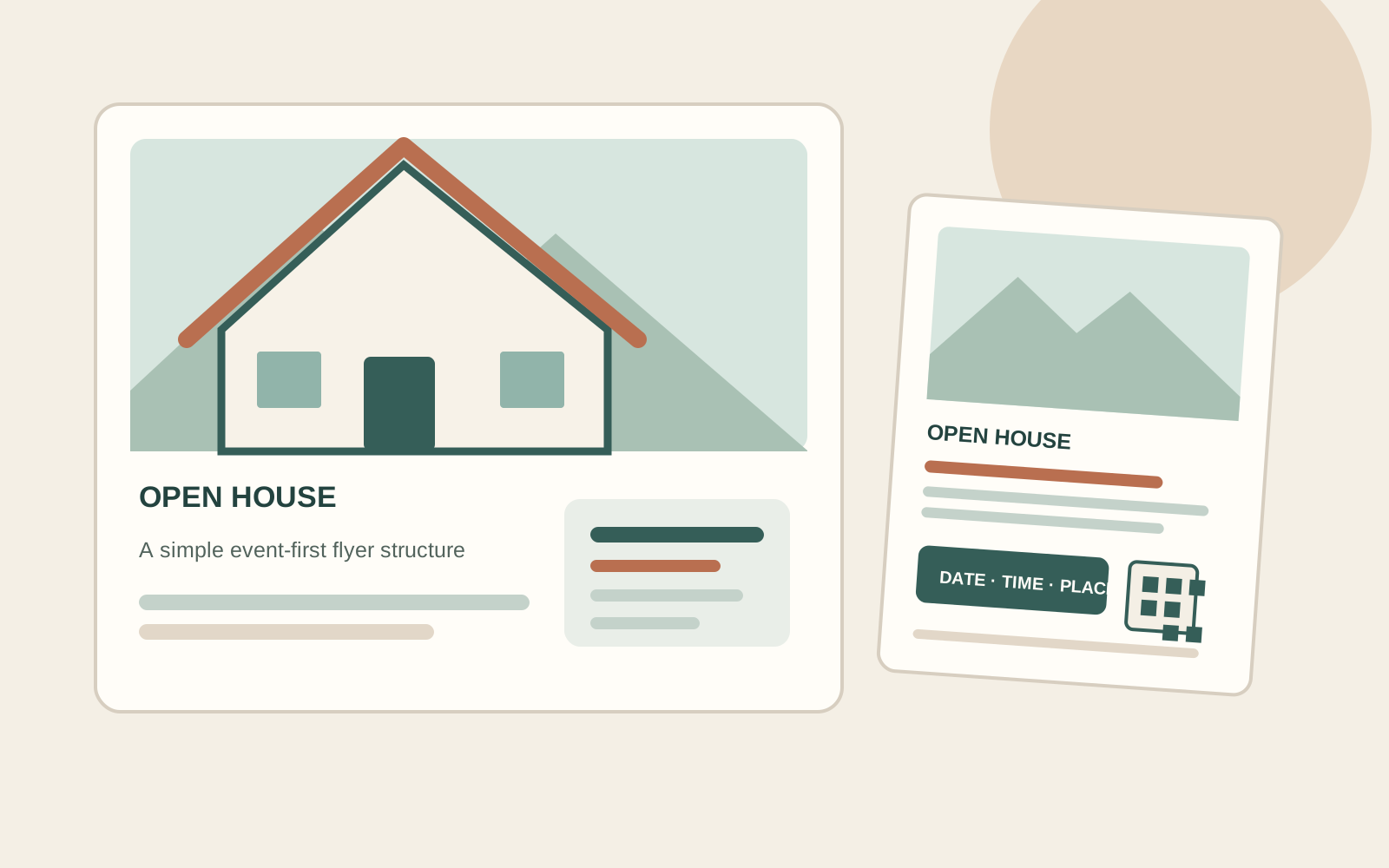
Saturday's open house is close, but the flyer still needs the event time, address, and one clear next step. Start with those details before you spend time moving photos and colors around.
Start with the event details and the facts you can verify. Then choose a layout that gives the most space to what the reader needs first. The same order works on paper or on a phone.
The Short Version
- Put the address, confirmed hours, and one clear next step where a quick glance finds them.
- Choose a few accurate property details. A shorter list is easier to check and read.
- Use a QR code only when its destination works on a phone, and keep a readable fallback.
- Check listing accuracy, brokerage disclosures, fair housing language, and image permissions before sharing.
Make the event details the first decision
An open house flyer is an event invitation that tells a visitor when and where to see a property and gives one clear next step. It is not a full listing packet. Other details matter only after those answers are visible.
Use that sequence to choose the hierarchy. Put the address and event time near the top, next to or just below the lead photo. Keep the date attached to the hours, such as “Sunday, 1–3 p.m.” Avoid “this weekend” by itself; a flyer can be saved or forwarded after the weekend changes.
The National Association of REALTORS® 2026 Code of Ethics says members must present a true picture in advertising and make the firm name reasonably apparent. Apply your brokerage and local requirements to the final layout. A flyer can be attractive and still fail its job if the reader cannot find when or where to go.
If you want an editable starting point, Realtor Marketing Kit lists a local realtor flyer and separate Open House social posts. Check the contents and fit before choosing a layout.
Open house flyer checklist at a glance
Use this order as a starting point. Your listing source, seller approval, brokerage policy, and where the flyer will appear decide which details belong on the final page.
| Area | Include | Check before sharing |
|---|---|---|
| Event | Date, start and end time | Confirm the hours are still current |
| Location | Street address and useful entry note | Check spelling and visitor instructions |
| Property | One lead photo and a few features | Match facts to the current listing source |
| Contact | Agent name, brokerage, and a contact route | Use required firm and license disclosures |
| Next step | One action, such as visit, scan, or ask | Test the link or QR code on a phone |
| Fine print | Any required attribution or notice | Check brokerage, MLS, and local rules |
The template gives each detail a place. It cannot confirm that a price or square footage is still correct.
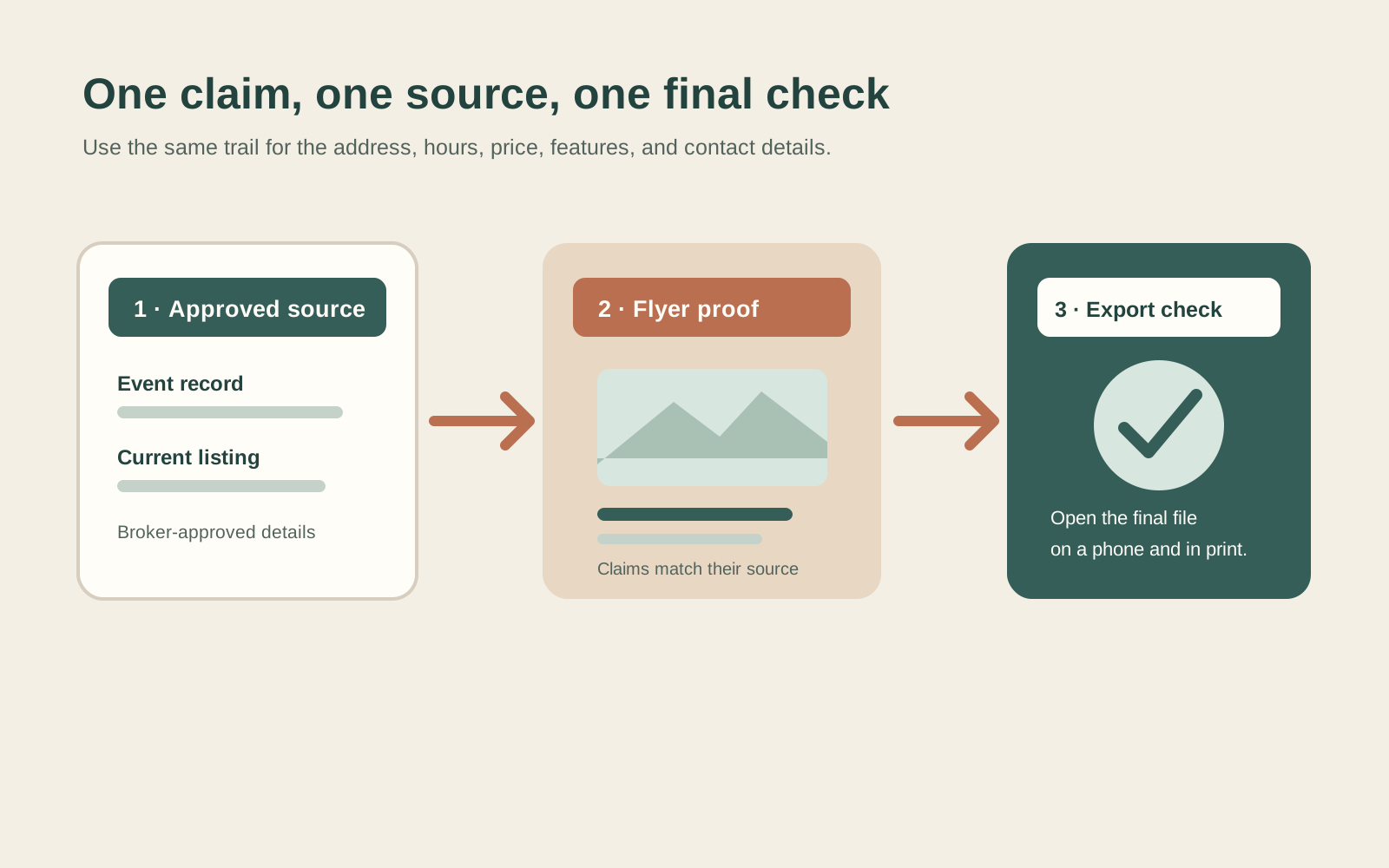
A source-to-page pass connects each flyer claim to its current source before export. If the price changes, replace the old value, confirm the date and address still match, then review the exported flyer rather than only the design file.
| Flyer detail | Verify against | Ready when |
|---|---|---|
| Address and event hours | Current event and listing record | Spelling and time match the approved details |
| Price and property features | Current approved listing information | No old value or unconfirmed claim remains |
| Agent and brokerage | Brokerage's required disclosure wording | Name and contact route are readable |
| QR code or URL | The final exported flyer on a phone | It opens the intended property page |
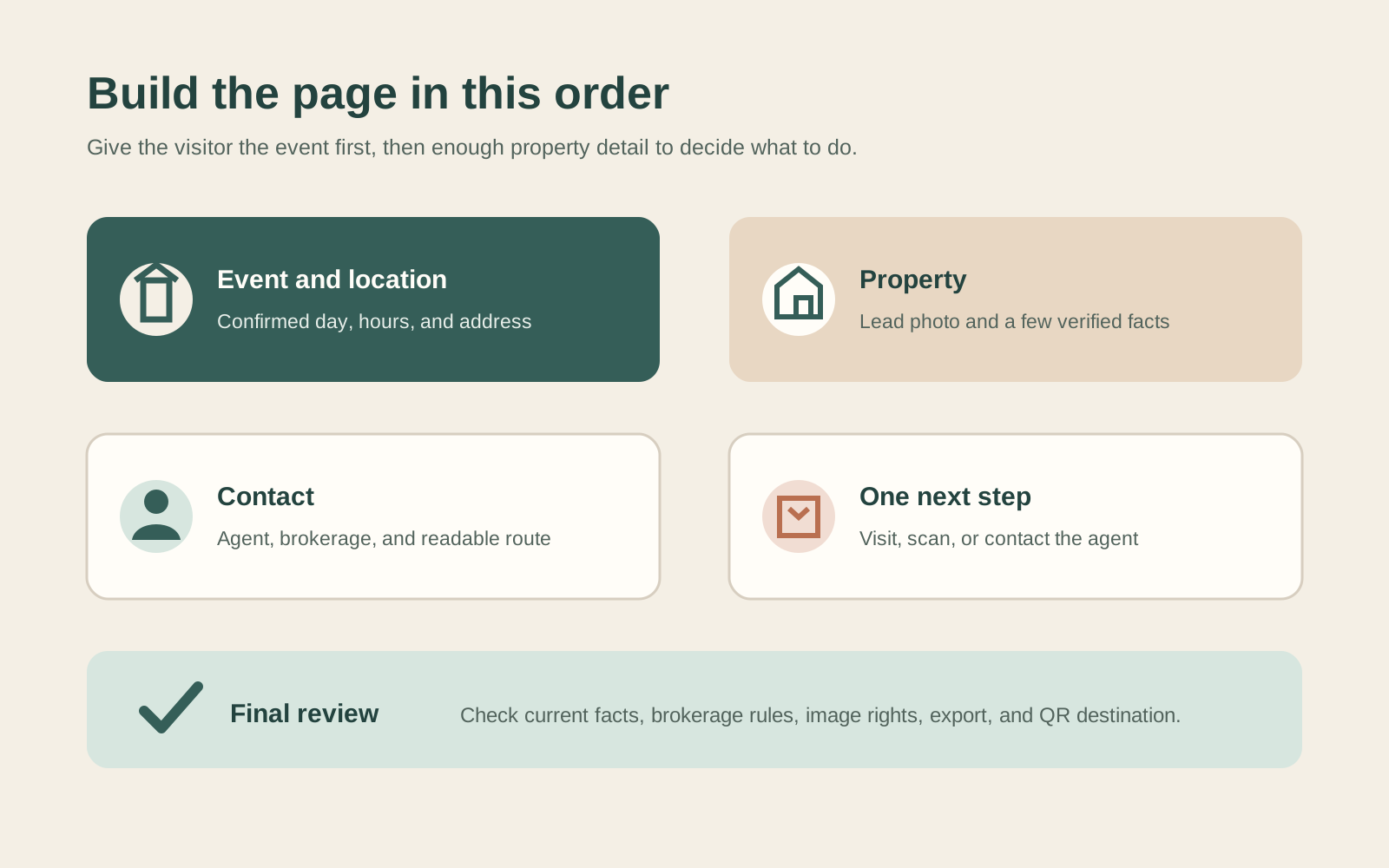
Put event and location at the top. Place property details next, then contact and the next step. That way the invitation still works at a glance.
Build the page around one useful photo
Choose a photo that helps a visitor recognize the home or understand the feature you are promoting. An exterior image can orient someone who has not seen the property. A bright interior photo can show the room that best explains the listing. Use images you are permitted to use, and confirm the crop does not hide a detail that changes the impression.
Add supporting photos only when each one contributes something different. A kitchen, a backyard, and a floor-plan crop may answer different questions. Three near-identical angles compete for space without adding much. If the flyer is shared on a phone, shrink it to screen size and check whether the headline, date, and address remain legible.
Write feature lines as concrete facts rather than broad praise. “Covered patio off the dining room” gives the reader something to picture. “Dream home with endless possibilities” could describe almost anything. If you mention a room count, renovation, appliance, view, or association detail, check it against the current approved listing information.
Keep the copy short enough to scan
The flyer should not repeat the whole property description. Choose a small set of details that support the visit: one sentence about the home, a few factual features, and a direct invitation with the confirmed hours. Put longer descriptions, disclosures, and documents on the destination page when appropriate.
Try this copy frame, then replace every bracket with a verified detail:
Visit [address] on [day, date] from [start] to [end]. See [specific feature] and [specific feature]. Questions? Contact [agent name] at [approved contact route].
Treat that as a drafting aid, not a claim template. Remove any feature you cannot confirm. Do not imply that the home is right for a particular kind of person or family. NAR's fair housing advertising guidance recommends describing the property and its features rather than the people who might live there. Have your broker review wording that raises a question.
Add one next step and test it
Choose one action that matches what you want the reader to do: attend during the listed hours, open the listing page, or contact the agent. Two competing calls to action make the small page harder to follow.
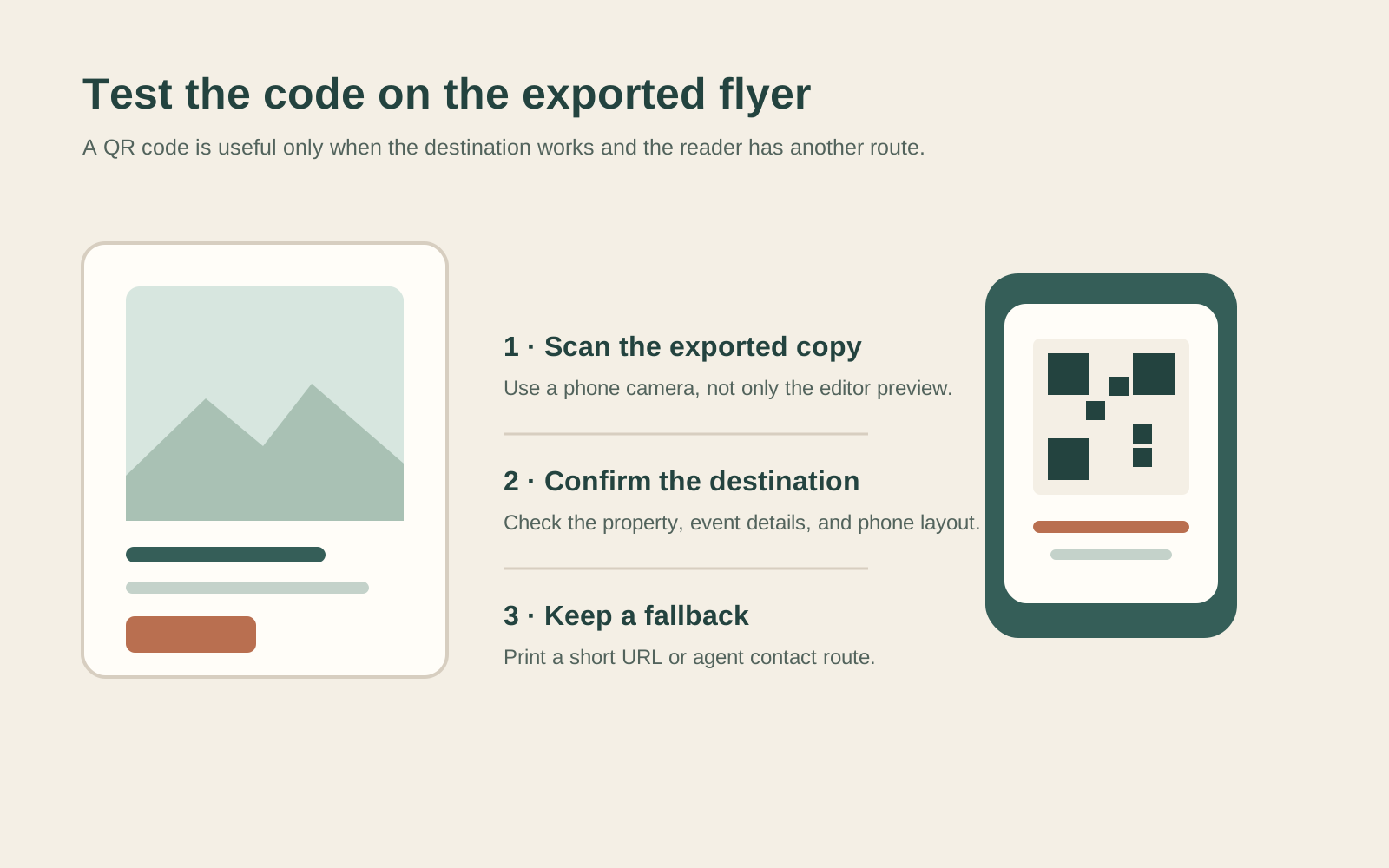
A QR code can save typing, but it should not carry essential information that is missing from the flyer. Before printing, scan the final code from a phone and check that the destination opens, fits a phone screen, and shows the same property and event details. Add a short readable URL or contact method for someone whose camera cannot scan it. If the destination changes, replace the code or remove it.
For a paper handout, ask the printer about the finished size, safe margins, and whether the file needs bleed. There is no single print setup for every printer. For an online version, export at a size that keeps body text readable without zooming. A flyer is not a postcard; if you intend to mail it as a card, check the current USPS card size and shape rules and prepare the mailing side separately.
Run the final accuracy and compliance check
Before you share or print, compare every property statement with the current approved source. Confirm that the date, hours, address, price if shown, and contact route are current. Remove outdated drafts from shared folders so someone does not reuse them by mistake.
Then check the presentation. NAR's Article 12 covers truthful advertising and firm identification for members. NAR's fair housing guidance recommends describing the property rather than the people who might live there. Its trademark guidance explains how members should use REALTOR® marks. Do not add the mark or block R as decoration. Check rules that apply to your membership and brokerage, and route uncertain wording through your broker or counsel.
Finally, review image rights, spelling, contrast, and the QR destination. Open the export itself rather than trusting the editable design: small type, clipped edges, and missing fonts can appear only in the downloaded file.
Why Trust This Article
We are the Cosmo Suite team behind Realtor Marketing Kit. We checked the kit's listed contents and the linked NAR, Canva, and USPS guidance on 8 November 2026. The flyer checks here are a practical editing method, not legal advice or a guarantee that an asset meets every local rule. Ask your broker about requirements for a specific listing.
Where Realtor Marketing Kit Fits
When you need the open house message in more than one place, keep the details consistent across the flyer, invite, reminder, and follow-up. The open house plan for realtors maps those stages. A separate open house checklist covers the event timeline.
Realtor Marketing Kit is a Canva template kit. Its listed contents include Open House social posts and a local realtor flyer, along with other post, story, guide, and email templates. The local realtor flyer is not described as a dedicated open house flyer. You can edit the templates in a free Canva account, but you still need to confirm listing facts, add the approved event details, and follow your brokerage's review process. See the Realtor Marketing Kit template sets if you want to check whether the listed assets fit your workflow.
The kit does not print or distribute the flyer, provide a sign-in sheet, schedule posts, or verify a listing. Those steps stay with the agent and brokerage. If a template is not the right format for your event, use the checklist above to build a simple page that is.
Frequently asked questions
What should an open house flyer include?
Put the property address, confirmed date and hours, a clear property photo, a few verified features, the listing contact and brokerage details required by your rules, and one next step. Make the time and address easy to find at a glance.
Should an open house flyer show the asking price?
Include the price only when it is current, approved for that listing, and consistent with the source your brokerage uses. If the seller or listing details change, update the flyer before sharing it again.
Do I need a QR code on an open house flyer?
No. A QR code is useful only if it opens a relevant, working page on a phone. Print a short readable URL or contact option as a fallback, and test the code from a copy of the final flyer.
How many photos should an open house flyer have?
Use the number that keeps the page readable. One strong lead photo can orient the reader; a small supporting image can answer a real question about the home. Do not shrink every available photo into a crowded collage.
Does Realtor Marketing Kit include an open house flyer?
The kit's contents list includes a local realtor flyer and separate Open House social posts. It does not list a dedicated open house flyer, a sign-in sheet, printing, or posting service.
Sources
- National Association of REALTORS®, 2026 Code of Ethics and Standards of Practice, Article 12
- National Association of REALTORS®, Fair Housing Corner: Create Advertisements With Fair Housing in Mind
- National Association of REALTORS®, Logo & Trademark FAQ
- Canva, Real Estate Flyer Templates
- U.S. Postal Service, Sizes for Cards
Keep reading
Open Houses
Open House Ideas for Realtors: The Before, During and After Plan
Open house ideas for realtors, sorted by phase: what to post before, what to do during the showing and how to follow up after, with caption frames you can copy.
· 8 min read
Open Houses
Open House Checklist for Realtors: T−48 Hours to Follow-Up
Open house checklist for realtors: confirm the seller's plan, prepare the home, host safely, secure the property, and follow up over two days.
· 8 min read
