Real Estate Flyer Layouts: 7 Types and When to Use Each
Real estate flyer layouts work best when each page has one job. Compare seven options, pick the format for your goal, and check every detail before you share.
By Realtor Marketing Kit by Cosmo Suite · Editorial policy
Published · 8 min read
A flyer needs to answer one question quickly: what should the reader do next? Choosing colors or browsing templates first can fill the page with details that get in the way.
The Short Version: Match the layout to the reader’s next step. Use one clear headline, a useful image, checked details, and one contact route. Confirm the output size before you print or post it.
Start with the flyer’s job. A listing flyer helps someone understand a property. An open-house flyer answers when and where to visit. An agent introduction gives people a quick way to understand your services and contact you.
The formats below are starting points, not rules. Choose one, confirm each fact with the listing source or your broker, then make a print and digital version that fits where it will appear. A real estate flyer is a single page that presents a property, event, or agent service. An open-house flyer is an event invitation built around the confirmed time and place. A property overview flyer is a concise sheet of verified listing details.
Start with the flyer’s job
The best first choice is the reader’s next step, not the visual style. Write that step in a few words before you choose a layout: view a property, attend an open house, ask about a listing, or contact you about your services.
A property flyer and an agent flyer solve different communication problems. The property version needs enough verified detail to help someone assess a listing. An agent introduction can focus on the service area and how to reach you. An event flyer must make the time and place easy to spot.
Keep the asset matched to its use. If you are preparing social posts around a listing, the real estate social media post types guide maps common post jobs to the listing timeline. For an upcoming event, the open house ideas and schedule covers the before, during, and after plan.
Seven real estate flyer layouts at a glance
Choose a real estate flyer layout by deciding what the reader needs to do next. A listing flyer introduces a property, an open-house flyer gives confirmed event details, and an agent introduction explains how to make contact. The table compares seven starting formats by their lead element and best use, so you can select one clear job for the page.
| Layout | Lead element | Use it when |
|---|---|---|
| Just listed | One strong property photo and a short headline | You need to introduce a new listing |
| Open house | Date, time, location, and a simple direction cue | You are inviting people to a scheduled event |
| Property overview | A photo with a short set of confirmed features | A reader needs a quick property summary |
| Price or status update | The verified change and its date | The listing information has changed |
| Neighborhood introduction | A local service message and a defined area | You are introducing yourself to an area |
| Buyer event | Event topic, date, place, and sign-up or contact step | You are promoting an educational session |
| Agent introduction | Your name, firm, service area, and contact route | You want a simple leave-behind about your work |
These are editorial layout ideas. They are not seven designs included in Realtor Marketing Kit. Its contents list names a local realtor flyer, alongside separate social, email, guide, and planning assets.
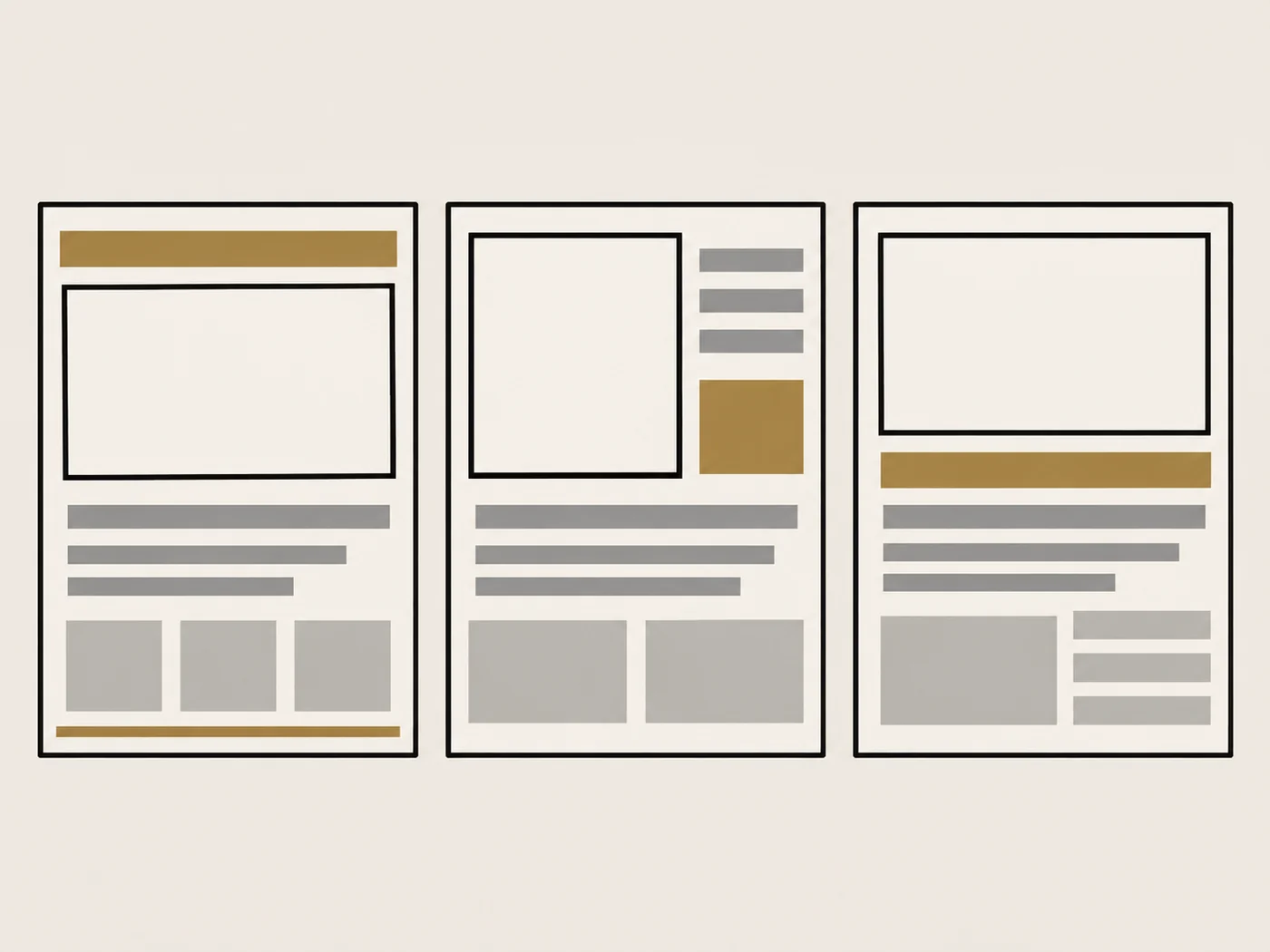
If one layout is enough, leave the rest for another piece. Reusing one page for a property overview, an event invitation, and an agent bio usually creates competing headlines and too many calls to action.
Build the page around one decision
A clear flyer gives the eye a route from the main point to the next step. Think of the page as four zones: headline, visual, supporting facts, and contact or action. You can adjust the order, but each zone should answer a different reader question.
Lead with the purpose. “Open house Saturday” tells the reader what kind of information follows. A listing flyer can lead with “Just listed” or a concise property description. Avoid a headline that promises an outcome the page cannot guarantee.
Give the image a job. Use a property photo only when you have permission and it accurately represents the listing. Pick one image that explains the property or event. A collage can work when each image adds useful context, but several similar shots can make the page feel busy.
Keep the facts selective. Include only details that answer a likely question. Depending on the layout, that could be an address, date, time, a few confirmed property features, or a service area. Check every number, status, and claim against the current listing information before sharing.
Make the next step visible. A phone number, email address, QR code, or event direction can serve as the action. Choose the one that fits the use. A property overview does not need three competing invitations to call, scan, follow, and visit a website.
Reserve a clear contact area. Put your name and contact route where a reader can find them without searching the page. If you are a REALTOR® and the flyer advertises brokerage services or a listed property, Article 12 of the 2026 NAR Code of Ethics says the firm name must appear in a reasonable and readily apparent manner. Ask your broker which disclosures apply to your specific flyer.
For digital flyers, also review HUD’s guidance on housing ads through digital platforms, which discusses how Fair Housing Act obligations apply to ad targeting and delivery. The FTC’s advertising basics says claims should be truthful, non-deceptive, and evidence-based. These sources do not replace broker or legal review of a particular ad.
The Canva real estate flyer guide shows examples of photo-led designs, headlines, and contact details. Use those as design references, then check your own content against your broker’s requirements. A template gallery can suggest visual directions, but it cannot confirm that a design fits your listing or local rules.
A worked local flyer brief
Imagine you are introducing your real estate services to people in one part of town. This example is fictional and contains no actual property or market details. It shows how to make a layout choice before opening a design tool.
The goal is to help a reader understand who you are and how to contact you. That points to an agent introduction layout, not a property overview. The headline can name the service area if you are comfortable using it. The visual can be a simple map shape or an approved community image, but avoid implying that you represent every home shown.
Next, choose one short description of the work you do. Keep the language factual and broad enough to match your actual service. Add your name, firm, contact route, and any brokerage disclosure your firm requires. Leave out claims about neighborhood prices, buyer demand, or likely selling results unless your broker has approved the statement and you can support it.
Before you export, ask whether each element earns its space. If the image, a paragraph, or a second QR code does not help the reader understand your service or take the next step, remove it. The aim is a useful introduction, not a miniature brochure.
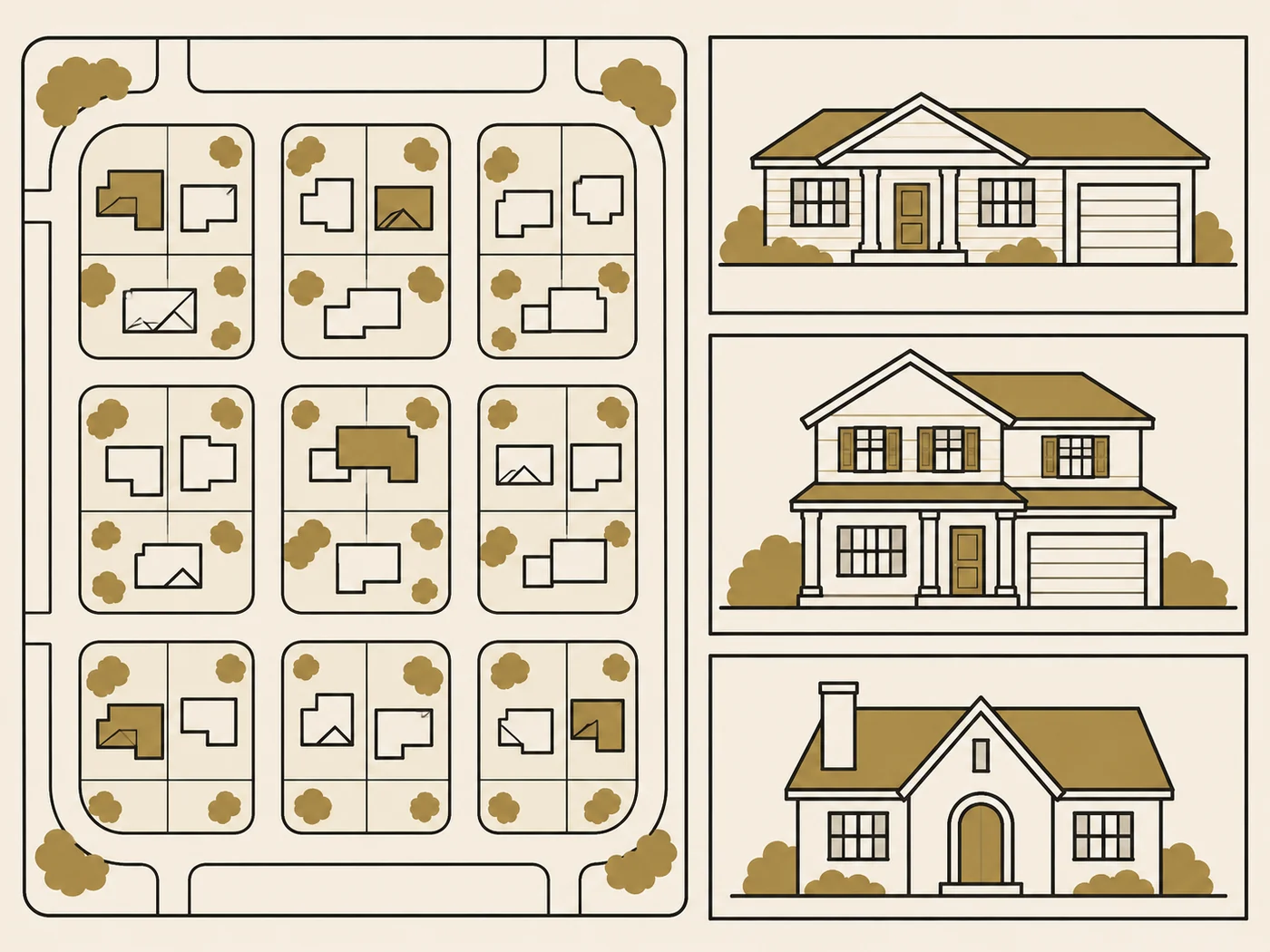
If you are making an event flyer instead, replace the service-area message with the confirmed event details. Put the date and time close to the headline. Add directions only when they are accurate and useful. For more detailed planning around an open house, use the open house checklist from 48 hours before through follow-up.
Check the details before you print or share
A real estate flyer is ready to share when its facts, reading order, contact details, and file format suit the intended use. Proof the page at its final print dimensions or on a phone before distributing it. Use this checklist to verify the listing, claims, brokerage information, legibility, photo, and destination settings while changes are still easy to make.
- Confirm the status. Is the listing still active, under contract, or sold? Use the current status and date. Remove old artwork when the information changes.
- Check every claim. Verify property facts, prices, event details, photos, and any market statements. Ask the listing broker to review anything that could be read as a promise or guarantee.
- Review the firm details. Confirm your name, contact information, firm name, and required disclosures with your brokerage. Requirements can depend on the firm, state, medium, and use.
- Read it at the intended size. Print one proof at the final dimensions. For a digital version, view it on a phone. If the headline or contact detail disappears when the page is reduced, simplify it.
- Check the photo and crop. Make sure the image is approved, current, and not misleading. Keep important details away from the edge so they remain visible after trimming or resizing.
- Match the file to the destination. Ask your printer about accepted dimensions, bleed, and file type before ordering. For email or social, export a separate version and check its legibility on a small screen.
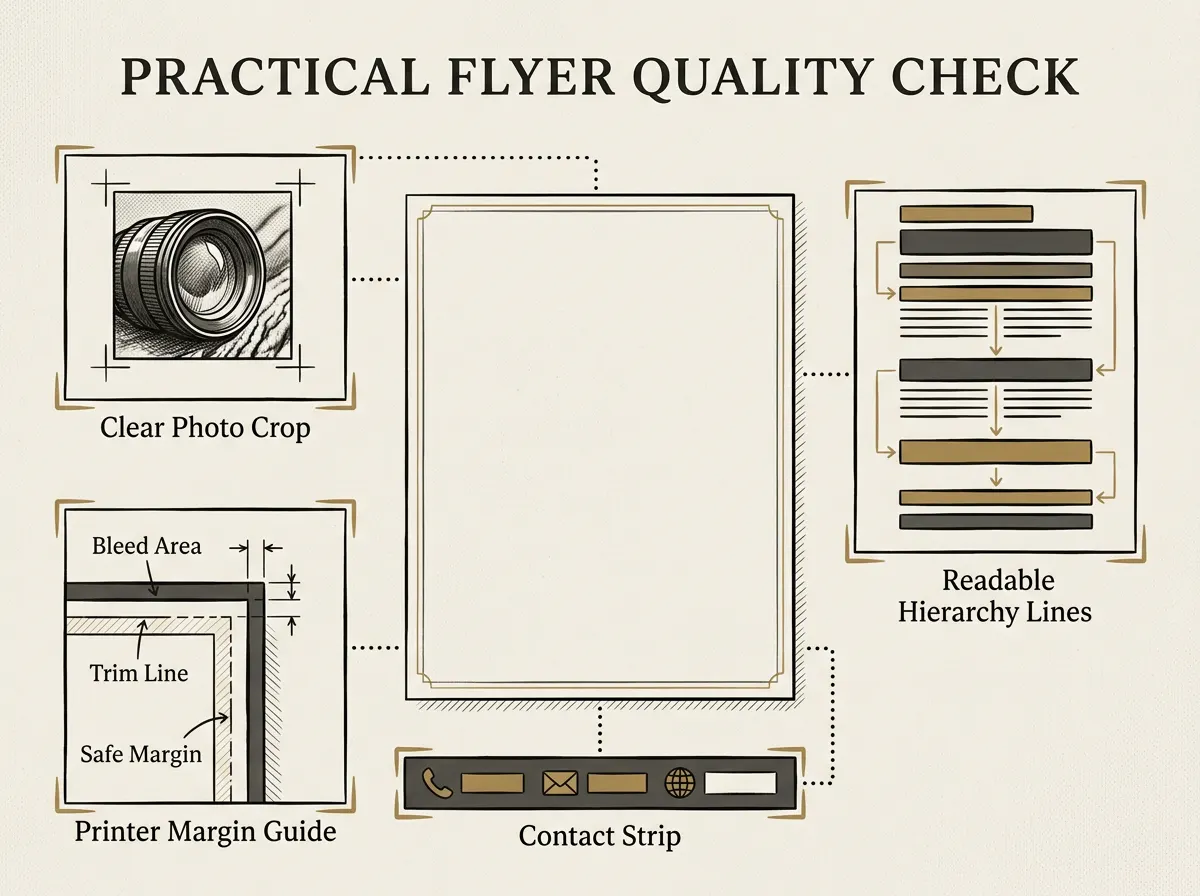
If a detail is uncertain, hold the file and ask the broker or listing source. A quick review is easier than correcting flyers after they have been printed or shared.
What actually makes a flyer useful
A flyer becomes easier to use when it is built for one audience and one moment. The same property may need a listing sheet for a showing, an open-house invitation for an event, and a digital image for a social post. Those pieces can share facts and visual style, but they do not need the same layout.
Keep the purpose in view as you adapt the design. A print handout needs enough contrast and breathing room at its final size. A digital flyer needs text that remains readable on a phone and an action that works from that screen. Canva’s gallery includes both small and large flyer formats, so choose a canvas only after you know where the piece will go.
You can also connect the flyer to the rest of your listing communication. A one-page handout may introduce a property, while a social post gives a shorter update. The Just Sold post guide shows how a short listing update can fit alongside a printed handout, without forcing every message into one design.
Why Trust This Article
Realtor Marketing Kit is a Cosmo Suite product. This guide uses its published product contents and cites Canva, HUD, the FTC, and the National Association of REALTORS® for design examples and advertising guidance. We checked those sources on November 5, 2026. We did not test every printer or verify any state-specific disclosure rule. Confirm your flyer with the listing source and your broker before sharing it.
Where Realtor Marketing Kit Fits
Starting from a blank page is often the slow part. Realtor Marketing Kit is a Canva template kit for real estate agents, delivered as template links and PDFs for editing in a free Canva account. Its contents list includes a local realtor flyer, social templates, guides, email materials, and a weekly content calendar.
The kit does not include every layout in this guide, postcards, a sign-in sheet, a listing presentation, a CRM, or a posting service. It also does not promise leads or sales. If you want a ready-made Canva starting point for your own marketing, see what Realtor Marketing Kit includes. Choose a layout based on the job, then review the facts and firm details yourself.
Frequently asked questions
What should a real estate flyer include?
Start with the purpose. Add a clear headline, an accurate image, the relevant property or event facts, your contact details, and any disclosure your firm requires. Ask your broker to review property claims and required disclosures.
Which real estate flyer layout should I use?
Match the layout to the reader’s next decision. A listing layout presents a property, an open-house layout shares event details, and an agent introduction explains who you serve and how to reach you. Give the page one main action.
Is a real estate flyer the same as a postcard?
They can share information, but they are different print formats. A flyer is often a larger handout or display sheet. A postcard is made for mailing, so its layout needs to account for the address and postage areas. Check the current [USPS postcard size rules](https://pe.usps.com/businessmail101?ViewName=Cards) before choosing the format.
What size should a real estate flyer be?
The right size depends on where the flyer will go. Ask the printer or venue for its dimensions first. If you plan to mail it as a postcard, check the current [USPS size and shape rules](https://pe.usps.com/businessmail101?ViewName=Cards). For digital sharing, check the text on a phone.
Does Realtor Marketing Kit include a real estate flyer?
Yes. Realtor Marketing Kit lists a local realtor flyer among its Canva template sets. The kit does not claim to include every layout in this article, postcards, a sign-in sheet, or a posting service.
